Workers get hurt not because they’re careless—but because critical safety conversations never happen. A near-miss goes unreported. A new hazard isn’t addressed. Complacency sets in. That’s where toolbox talks come in: short, focused safety meetings that stop incidents before they start. But knowing what to talk about—and how to deliver it—is half the battle. That’s why professionals across industries are searching for “toolbox talk pdf download”: they need structured, professional, and instantly usable content. This guide delivers exactly that—plus how to use it effectively.
What Is a Toolbox Talk and Why It Matters
A toolbox talk is a 5- to 15-minute safety meeting typically held at the start of a shift, often near worksites or in break areas. Unlike lengthy safety trainings, these sessions target one specific hazard or behavior. Examples include:
- Working at heights
- Proper PPE use
- Equipment lockout/tagout
- Slips, trips, and falls
- Heat stress awareness
These talks reinforce safety culture, clarify procedures, and open communication. OSHA doesn’t mandate toolbox talks explicitly, but they support compliance with broader safety regulations like hazard communication and fall protection.
The real power? They’re proactive. A 5-minute conversation about ladder safety can prevent a 6-week recovery.
But without structure, they become check-the-box exercises. That’s where a well-designed toolbox talk PDF download comes in. It provides consistency, clarity, and a record of communication.
What to Look for in a Quality PDF Template
Not all toolbox talk PDFs are created equal. Many free downloads online are poorly formatted, lack engagement, or miss key components. A strong template should include:
- Clear topic title – e.g., “Eye Protection in the Workshop”
- Hazard explanation – what can go wrong and why
- Safe work practices – step-by-step guidance
- Discussion questions – to engage the team
- Sign-off sheet – for attendance and acknowledgment
- Visuals or diagrams – where helpful (e.g., proper lifting posture)
Avoid templates that are text-heavy or lack space for signatures. If it looks like a memo, it won’t work in the field.
Also, ensure the language matches your workforce. If you manage bilingual crews, seek bilingual PDFs or editable versions you can adapt.
#### Common Mistakes in PDF Usage - Using the same topic every week - Reading directly without discussion - Failing to archive completed forms - Skipping attendance records
A good PDF isn’t just a handout—it’s a field tool.
Top 5 Toolbox Talk PDF Resources (Free & Reliable)
Here are five trusted sources offering downloadable, practical toolbox talk PDFs:
| Resource | Topics Covered | Format | Editable? | Access |
|---|---|---|---|---|
| OSHA.gov | Fall protection, electrical safety, PPE | PDF, bilingual options | No | Free |
| NIOSH (CDC) | Heat stress, ergonomics, respirators | PDF + infographics | No | Free |
| SafetyNow | 100+ topics, industry-specific | PDF, PowerPoint | No | Free with registration |
| Creative Safety Supply | 5S, forklift safety, hazard signs | PDF, editable fields | Partial | Free |
| WorkSafeBC | Construction, confined spaces, winter safety | PDF, audio guides | No | Free |
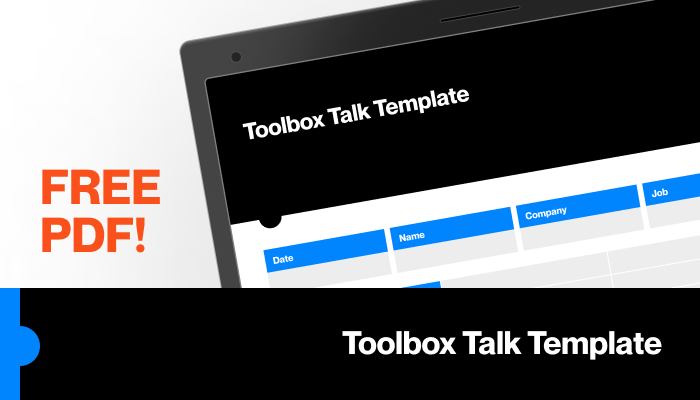
Key Tip: Use OSHA and NIOSH for regulatory alignment. Use SafetyNow and Creative Safety Supply for frequency and variety. WorkSafeBC excels in practical visuals.
For maximum flexibility, download editable PDFs or request Word versions from providers. That way, you can customize talking points, add site-specific risks, or insert company branding.
How to Run an Effective Session Using PDF Content
A PDF is just the start. The real value comes from delivery.
Step 1: Choose the Right Topic Match the talk to current work. Are crews setting up scaffolding? Run a fall protection session. Installing electrical panels? Focus on arc flash risks.
Step 2: Review & Customize the PDF Add a real incident from your site (without naming names). Example: “Last month, a frayed extension cord caused a near-miss in Zone B. Today, we’re reviewing electrical cord safety.”
Step 3: Hold the Meeting in the Field Don’t do this in the office. Conduct the talk where the work happens. Show the hazard. Demonstrate the fix.
Step 4: Encourage Participation Ask: - “Has anyone seen this hazard before?” - “What would you do if you spotted a damaged harness?” - “What’s one thing we can improve?”
Silence means disengagement. Probe gently.
Step 5: Document & File Collect signatures. Store PDFs in a shared folder or binder. If audited, you’ll need proof.
Pro Tip: Rotate facilitators. Let experienced workers lead occasionally. It builds ownership and reveals gaps in understanding.
Industry-Specific Examples Using Downloaded PDFs
One-size-fits-all doesn’t work in safety. Here’s how different sectors use toolbox talk PDFs effectively:
#### Construction A foreman downloads a “Trenching and Excavation” PDF before crews begin digging. He adds a note: “Soil here is sandy—shoring is mandatory at 4 feet.” He walks the trench edge during the talk, checks shoring, and ensures everyone signs off.
#### Manufacturing Before a machine maintenance cycle, a supervisor uses a “Lockout/Tagout” PDF. He brings a real lockset, demonstrates the steps, and asks each technician to explain their role in the energy isolation process.
#### Warehousing A safety officer uses a “Pedestrian Safety in High-Traffic Areas” PDF. She prints it, posts visuals near forklift routes, and leads a 10-minute talk at shift start—complete with a site map showing designated walkways.
In each case, the PDF is a foundation—not a script.
Making Templates Work for Remote or Hybrid Teams
Not all work happens on-site. Some crews split time between offices, vehicles, and remote locations.
For these teams: - Convert PDFs into brief email summaries with discussion questions - Host 10-minute Zoom huddles using screen-shared PDFs - Use team chat (e.g., Teams, Slack) to post weekly topics and gather responses
Example: A fleet manager emails a “Winter Driving Safety” PDF every November. Drivers read it, respond to three safety questions in the thread, and confirm completion. The manager logs participation.
Even remote workers face hazards—ergonomic setups, driving, or mental fatigue. A good PDF adapts.
Legal and Compliance Value of Documented Talks
Toolbox talks aren’t just safety tools—they’re liability shields.
In the event of an OSHA inspection or workers’ comp claim, documented talks prove: - Hazards were communicated - Workers were trained on procedures - The company exercised due diligence
A signed PDF from six months ago can shut down a citation.
But only if it’s real. Inspectors can spot fake sign-in sheets. If a worker signs for a topic they never discussed, the record is worthless—and potentially damaging.
Best Practice: Store completed PDFs for at least one year. Cross-reference with work schedules to verify attendance.
Key Limitations and How to Overcome Them
Toolbox talk PDFs are powerful—but they have limits.
Limitation 1: Static Content PDFs don’t update automatically. A talk on respirator standards from 2018 may miss new NIOSH guidelines.
Solution: Audit your PDF library quarterly. Mark outdated topics and replace them.
Limitation 2: One-Way Communication If the supervisor reads the PDF without dialogue, workers tune out.
Solution: Build in 5 minutes of open discussion. Use “What would you do?” scenarios.
Limitation 3: Lack of Follow-Up A great talk means nothing if unsafe behaviors continue.
Solution: Use the talk as a launchpad. Follow up with spot checks. Praise safe actions. Correct issues immediately.
Actionable Next Steps
Stop searching randomly for “toolbox talk pdf download.” Start building a system.
- Download 3-5 templates from trusted sources (OSHA, NIOSH, Creative Safety Supply).
- Customize each with your site risks, roles, and language.
- Schedule weekly talks—align them with current work.
- Train supervisors to lead engaging sessions, not read scripts.
- Archive every signed PDF in a shared, searchable folder.
A single, well-run toolbox talk won’t transform your safety record. But consistent, thoughtful use of quality PDF content—adapted, discussed, and documented—will.
Your crew doesn’t need perfection. They need clarity, consistency, and conversation. Great toolbox talk PDFs make that possible.
FAQ Where can I get free toolbox talk PDF downloads? OSHA, NIOSH, Creative Safety Supply, SafetyNow, and WorkSafeBC offer free, downloadable PDFs with no paywall.
Are toolbox talks required by OSHA? Not explicitly, but they support compliance with hazard communication, fall protection, and other standards.
How often should toolbox talks be held? Weekly is ideal. At minimum, hold them when new hazards arise or after incidents.
Can I edit toolbox talk PDFs? Some providers offer editable fields or Word versions. Check licensing. Never alter regulatory content without verification.
What should be included in a toolbox talk? A clear topic, hazard explanation, safe practices, discussion questions, and attendance sign-off.
Do toolbox talks reduce workplace accidents? Yes—when done consistently and interactively. Studies show regular safety talks improve hazard awareness and reporting.
Should toolbox talks be documented? Absolutely. Signed PDFs serve as training records and compliance proof during audits.
FAQ
What should you look for in Toolbox Talk PDF Download: Free Templates & Best Practices? Focus on relevance, practical value, and how well the solution matches real user intent.
Is Toolbox Talk PDF Download: Free Templates & Best Practices suitable for beginners? That depends on the workflow, but a clear step-by-step approach usually makes it easier to start.
How do you compare options around Toolbox Talk PDF Download: Free Templates & Best Practices? Compare features, trust signals, limitations, pricing, and ease of implementation.
What mistakes should you avoid? Avoid generic choices, weak validation, and decisions based only on marketing claims.
What is the next best step? Shortlist the most relevant options, validate them quickly, and refine from real-world results.